Instacart Shopper Rewards
- 4.2
- Rating
- 100.00K
- Installs
- Free
- Price

 Analysis by App-foxy
Instacart Shopper Rewards is a finance app aimed at people who earn through Instacart shopping and want to use the debit card connected with that work. I approached it less like a general banking app and more like a work-money tool: useful when the card and account fit neatly into a shopper’s routine, but less convincing if you want a full replacement for an established bank.
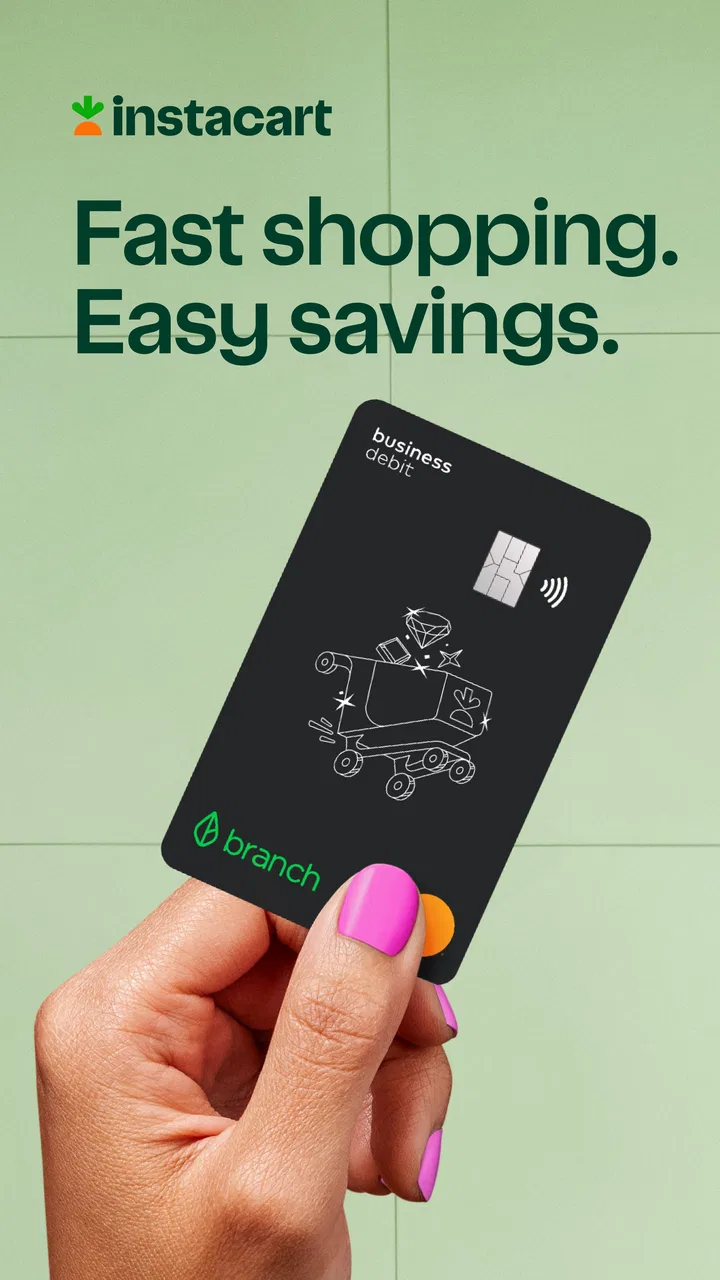
The app is developed by Branch Messenger, is free to download, and is rated for Everyone. Its store summary points to a new debit card, while the short description identifies it for Instacart Shoppers. That combination tells me who should pay attention: this is not a broadly useful budgeting app for every household. Its value depends heavily on whether you actively shop with Instacart and can make use of the rewards account attached to that activity.
At the time of my review, the app carries a 4.2 average from roughly 379 ratings, with more than a hundred written reviews and over 100K installs. It was released on August 6, 2025, and the current version is 2026.5.3. Those details matter because a relatively recent finance app can feel different from a mature bank application: screens may change quickly, account setup may be closely tied to eligibility, and a small configuration issue can look like a serious account problem.
You May Also Like

 Blood Strike: 2.5 Anniversary
Blood Strike’s Loadouts Turn Every Drop Into a Tactical Gamble
A close look at Blood Strike’s custom loadouts: how fast access to signature weapons reshapes its battle royale rhythm, rewards preparation, and narrows the gap between fights.

 Pandora - Music & Podcasts
Pandora’s Music Is Easy to Start, but Harder to Recover
Pandora’s strength is its low-effort path from a seed to a station. Its weak spot is how much confidence it asks you to place in connection, setup, and quiet recovery.

 8 Ball Pool
 Is Built on Rivalries, Rematches, and Routine
A close look at the rivalries, rematches, shared routines, and unanswered safety questions that turn a quick pool match into a persistent mobile community.

 Samsung Music
’s Quiet Strength Is Playing What You Already Own
Its reach comes less from spectacle than from dependable access to a personal library. That simplicity is both the app’s strongest retention engine and its ceiling.

 AccuWeather: Weather Radar
AccuWeather Review: A Quick, Clear Forecast for Everyday Decisions
For everyday plans, the best forecast is the one you can understand quickly. AccuWeather makes rain timing, radar, and local conditions easy to act on, with a few trade-offs.

 Hill Climb Racing
Why Hill Climb Racing Still Turns Crashes Into One More Run
A tiny car, a bumpy hill and one more upgrade: Hill Climb Racing keeps resurfacing because its simple chaos makes every near-miss feel personal.
More From Our News Desk



Getting past the points where shoppers usually get stuck
The first thing I would tell a friend is not to judge the app during the first few minutes. Finance apps connected to work platforms often involve more than installing an application and choosing a password. The phone number, identity details, shopper account, card information, and account status all need to line up. If one part does not match, the app may appear unhelpful even though the underlying issue is outside the screen you are looking at.
A common source of frustration is expecting the app to behave like a normal checking account from the moment it opens. Instacart Shopper Rewards is built around the shopper relationship, so the relevant account context matters. If you installed it before confirming that you are using the intended shopper credentials, stop and check that first rather than repeatedly attempting sign-in. Repeated attempts can make a simple mismatch feel like a locked account or a broken application.
Another sticking point is the debit card itself. A shopper may see the card as the main purpose of the app and expect every card-related action to be immediately available. In practice, card access and account access are connected but not always experienced as the same thing. If a card screen does not look complete, I would first finish any visible setup steps, review the account details carefully, and then close and reopen the app once. That is a sensible recovery step without assuming that a missing screen means money has disappeared.
There is also a mental adjustment for shoppers who are used to checking earnings somewhere else. The app should be treated as a place to manage the rewards debit-card relationship, not automatically as a complete history of every part of your Instacart work. If you are comparing it with delivery totals, weekly summaries, or other shopper information, use the appropriate Instacart work area for that comparison. Mixing those views is an easy way to think the finance app is showing incorrect information.
Checks worth making before you troubleshoot
Before blaming the app, I would work through a short setup routine. Use the same contact details associated with the shopper account, read each confirmation screen instead of tapping through it, and make sure the device is running a supported operating system. The listed minimum is iOS or Android version 10, so an older phone may be the first thing to examine if installation or updating behaves strangely.
I would also make sure the app itself is current. The version shown for the app is 2026.5.3, and finance applications can change their sign-in or card screens as they are updated. If your phone has retained an older installation, update it through the normal store process before trying more complicated fixes. If the update will not complete, check ordinary phone issues such as available storage, a stable connection, and whether the device can install other applications.
Connection quality deserves more attention than it usually gets. A weak mobile signal can leave a card request, account refresh, or confirmation screen looking frozen. I prefer switching between a reliable Wi-Fi connection and mobile data, then waiting for the screen to finish before pressing the same button again. Tapping repeatedly is especially unhelpful in a finance app because it can create uncertainty about whether a request was submitted once or several times.
When a screen asks for personal information, slow down and compare what you enter with the details used for your shopper account. Small differences in a name, phone number, or address can prevent an account match. I would not create a second account to work around that problem. Duplicate attempts can make later support more difficult, while carefully checking the original details keeps the situation easier to explain.
Notifications and permissions can also affect how clearly the app communicates, although they are not a substitute for account access. If you are waiting for a confirmation or account update, check the app directly instead of relying only on a notification. A delayed alert does not necessarily mean the action failed. Conversely, seeing an alert does not mean every card or account step has finished, so I would verify the status inside the app before using the card for an important purchase.
A safer way to recover a stalled workflow
My preferred recovery method is deliberately boring. First, note what screen you are on and the last action you completed. Then stop pressing buttons, check the connection, and reopen the app once. If the same screen returns, review the account details and any unfinished setup prompt. This preserves a useful timeline if you need help later and avoids turning a temporary loading problem into a string of duplicate requests.
If signing in fails, I would distinguish between a forgotten credential, a mismatch with the shopper account, and a general service problem. Try the normal account-recovery route shown in the app rather than guessing passwords repeatedly. If another part of the app opens normally but one card action does not, that points toward a specific workflow issue rather than a total login failure. That distinction helps you choose the next step instead of reinstalling immediately.
Reinstalling can be useful, but I would leave it until basic checks are complete. Before removing a finance app, make sure you know the correct sign-in details and have recorded any non-sensitive reference information you may need. Reinstallation does not repair an account mismatch, an eligibility issue, or a problem on the service side. It only gives you a clean local installation, so it should not be the first answer to every error.
For a card problem, separate three questions: can you open the account, can you see the card information, and can you use the card for the intended transaction? A failure at one stage does not prove failure at the others. I would avoid making a second card request or repeatedly changing account details until the status is clear. If money or a transaction is involved, keep the date, approximate time, screen message, and action you attempted. That is much more useful to support than saying only that “the card does not work.”
One practical habit is to test the app during a calm moment rather than immediately before you need the card. Open it, confirm that you can sign in, review the visible account and card status, and learn where the help or support path is located. This is not glamorous advice, but it prevents a rushed grocery purchase or fuel stop from becoming the first time you discover a setup problem.
When the app is not actually the cause
Some problems belong to the shopper account or the transaction rather than to Instacart Shopper Rewards. If your work information is delayed, incomplete, or different from what you expect, the finance app may simply be displaying the account state it receives. In that situation, reinstalling the app will not correct the underlying shopper record. Check the relevant Instacart side of the process before treating the debit-card app as the source of the discrepancy.
A declined card transaction also needs careful interpretation. It might involve the merchant, the transaction type, available funds, card status, or a temporary service issue. The app can be part of the investigation, but it cannot explain every decline by itself. I would check the card status in the app, confirm that the account information looks correct, and avoid assuming that a single failed purchase means the account is permanently unusable.
Timing can create similar confusion. A shopper may finish work and expect every related financial update to appear instantly. If the work platform and the rewards account update at different moments, comparing them too quickly can produce a false alarm. I would record what each screen shows, wait for a reasonable refresh opportunity, and then compare again. If the difference remains, describe both sides precisely when seeking assistance.
Privacy and security are another reason not to experiment casually. Do not share passwords, full card details, or one-time verification codes while asking friends or strangers for troubleshooting help. A screenshot can also expose sensitive information, so crop it carefully or describe the message in words. The app handles financial activity, and convenience is not a good reason to weaken account security.
For shoppers who already use a traditional bank, the key question is not whether this app can replace everything. It is whether the connected debit-card arrangement makes a specific part of their work routine simpler. A conventional bank may be better for broad account features, long-term budgeting, household finances, and managing several income sources. A general money-management app may be better for seeing accounts together. Instacart Shopper Rewards makes more sense when the shopper connection and card access are the reason you are opening it in the first place.
Where it fits into an ordinary working day
Imagine finishing a morning of shopping and wanting to keep work-related spending separate from your main household account. Instead of treating the rewards card as a universal wallet, you could use the app to check the account connected with that card before heading out again. The useful part is the separation: you know which financial tool is associated with your shopper activity, while your ordinary bank remains available for rent, bills, and savings.
That workflow has a trade-off. Separation can make money easier to organize, but it can also create another balance to monitor. If you move funds between accounts or rely on the card for an urgent payment, you need to know which account you are actually using. I would build a quick check into the start of a shift: open the app, confirm the visible status, and make sure the card you intend to use is the one connected to the account on screen.
A second useful scenario is troubleshooting away from home. If the app opens on Wi-Fi but not through mobile data, the pattern points toward connectivity rather than your account. If it fails on several reliable connections while other apps work, write down the exact behavior and use the official help route. These small comparisons are more informative than repeatedly deleting and reinstalling the application.
The app is also a poor fit for someone who wants detailed financial planning. Its shopper focus is a strength when you need that specific connection, but it is a limitation if your goal is investment tracking, family budgeting, bill management, or a complete picture of multiple accounts. In those cases, I would keep a primary bank or budgeting tool and use this app only if its shopper-oriented card arrangement genuinely earns a place in the routine.
My practical verdict for Instacart shoppers
I see Instacart Shopper Rewards as a focused finance companion rather than a universal banking solution. Its strongest case is a shopper who wants a debit-card relationship connected to Instacart work and is comfortable checking a separate financial tool. The free price removes an obvious barrier to trying it, and the Everyone rating makes its intended audience broad from an age-classification perspective, though the practical value still depends on being an Instacart shopper.
The main friction is the connection between several systems: the phone, the app installation, the shopper account, the card, and the transaction itself. When everything lines up, the experience can be straightforward. When it does not, the app may feel opaque unless you separate login, account matching, card status, and merchant behavior into different questions. That is the most important lesson I took from using it.
I would recommend giving it a careful trial if you actively shop with Instacart and want to explore the debit card described in the listing. I would not make it my only financial tool immediately. First, complete setup without rushing, confirm that you can access the account reliably, and use it in a low-pressure situation. Keep your existing payment option available until you understand how the card fits your personal workflow.
For someone who does not shop with Instacart, the reason to choose it is much weaker. A normal bank account or a broader budgeting app will probably be more flexible. For an active shopper, however, the focused design may be exactly the point. The best way to use it is as a dedicated work-money tool, not as a replacement for every financial service you already rely on.
Overall, I would call it worth considering for the right shopper, with realistic expectations. Its usefulness comes from the specific Instacart connection and debit-card purpose, while its limitations appear when you expect general banking depth or instant answers to problems that actually belong to the shopper account, network, card, or merchant. If you approach setup methodically and keep that distinction clear, the app is easier to evaluate honestly.
FAQs for Instacart Shopper Rewards
01What are the main features of the Instacart Shopper Rewards app?
The Instacart Shopper Rewards app is designed to enhance the shopping experience for Instacart delivery personnel. Key features include real-time order updates, route optimization, earnings tracking, and reward points for completed tasks. The app also offers customer support and in-app chat for seamless communication during deliveries.
02How does the reward system work in the Instacart Shopper Rewards app?
The reward system in the Instacart Shopper Rewards app allows shoppers to earn points for each completed delivery. Points can be redeemed for various benefits, such as discounts, gift cards, or exclusive offers. The more deliveries you complete, the more points you accumulate, encouraging consistent and efficient service.
03Is the Instacart Shopper Rewards app available on both Android and iOS?
Yes, the Instacart Shopper Rewards app is available for download on both Android and iOS platforms. Users can find it on the Google Play Store for Android devices and the Apple App Store for iOS devices. Ensure your device meets the required specifications for optimal performance.
04Are there any costs associated with using the Instacart Shopper Rewards app?
The Instacart Shopper Rewards app itself is free to download and use. However, users should be aware of potential data charges from their mobile network provider while using the app. It's recommended to use a Wi-Fi connection whenever possible to avoid additional costs.
05What should I do if I encounter issues while using the Instacart Shopper Rewards app?
If you experience any issues with the Instacart Shopper Rewards app, first ensure your app is updated to the latest version. You can also check your internet connection. If problems persist, the app offers customer support features, including a help center and in-app chat for troubleshooting assistance.
Pros
- Easy-to-use interface enhances shopping experience.
- Flexible work hours accommodate personal schedules.
- In-app navigation simplifies finding items quickly.
- Real-time customer feedback improves service quality.
- Instant earnings visibility helps manage finances.
Cons
- Occasional app glitches may disrupt shopping.
- Limited support during high-demand periods.
- Earnings can be inconsistent across regions.
- Heavy orders can be physically demanding.
- Frequent app updates require regular downloads.

Instacart Shopper Rewards
Gallery